Aviation
Cabin renders your customers can sign off.
Review every layout, leather and veneer with your customer in one thread, keep it private, and publish a configurator for sales.
Go live
Configure the cabin
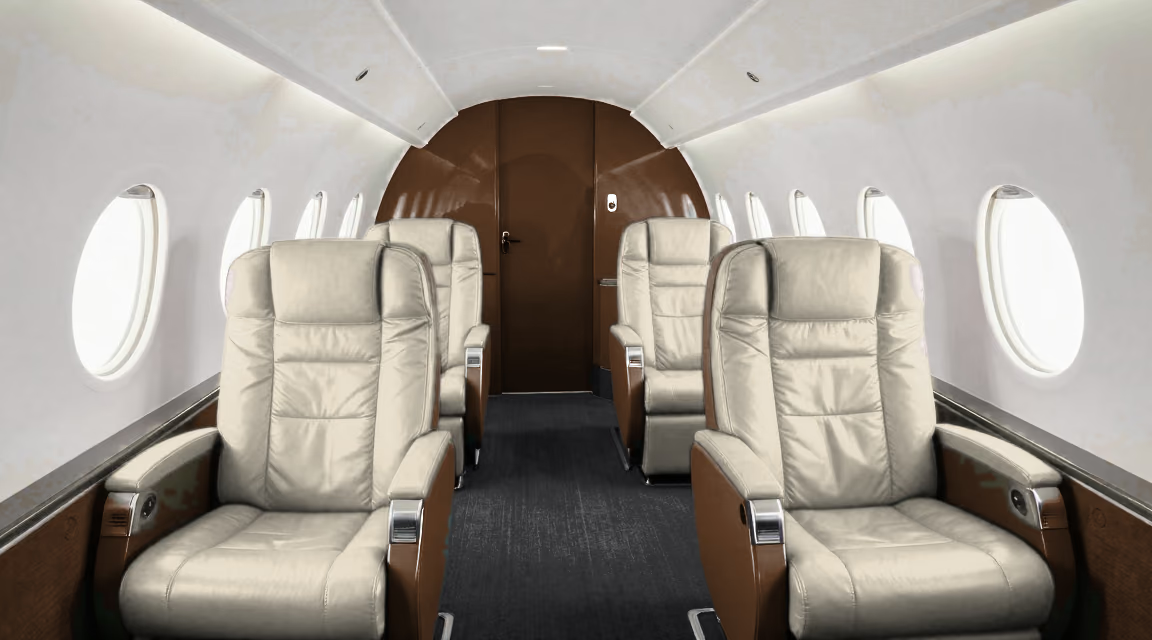
A live configurator published from approved renders, running on Renderapp right now. Pick the leather, veneer and carpet; the view follows what you change.
- Publish or embed
- Send a public link, or drop a snippet into the site you already run.
- Your brand
- Theme the layout to match your site, then save it as a template for the next one.
- Enquiries
- Capture enquiries from the configurator itself.
- Analytics
- See what visitors do with built-in analytics.
Included with Enterprise. Compare plans
The problem
The cabin is sold before it's built.
- Seven-figure decisions from renders
- Customers choose layouts, leathers and veneers from images of a cabin that doesn't exist yet. Those images are part of the deal.
- Too many people in the loop
- Design studio, completions, sales and the customer review the same views over email and PDFs.
- Confidential by default
- Unannounced aircraft and customers' own cabins can't sit in a shared folder.
How it works
Generate. Approve. Go live.
-
01
Generate
New views of a cabin from renders you already have: the club seating from aft, the galley, a night lighting scene.
-
02
Approve
Customer, design studio and completions comment on the exact view and version, and the approval is recorded.
-
03
Go live
Publish a configurator for your sales team, or keep each customer's cabin private with invite-only links.
- Single sign-on
- SAML or OIDC with your identity provider.
- Private deployment
- Run it in your own cloud, with media in your own buckets.
- Audit log
- Who changed and approved what, and when.
- Private by customer
- Permissioned workspaces and invite-only links.
Questions
What completions teams ask first
Can each customer have a private space? +
Yes. Give each customer or program its own workspace, and share views with invite-only links.
Can we walk the customer through the cabin? +
Yes. Interior panoramas and 360° spins are reviewed in the same thread as stills.
Can it run in our own cloud? +
Yes. Private deployment and AI generation in your own Google Cloud project are available on Enterprise.
Which renders can we use? +
Anything your design or CGI tools produce: stills, spins, panoramas and 3D.
Bring one cabin.
We'll show your cabin renders being generated, approved and shared privately with a customer, in a workspace that's yours.